

Exile Companion
Scan items. Track prices. Follow the campaign.
Scan items with your camera, check live currency prices, and follow the campaign guide — all from your phone. Perfect for console and PC players.
Free DownloadSee It In Action
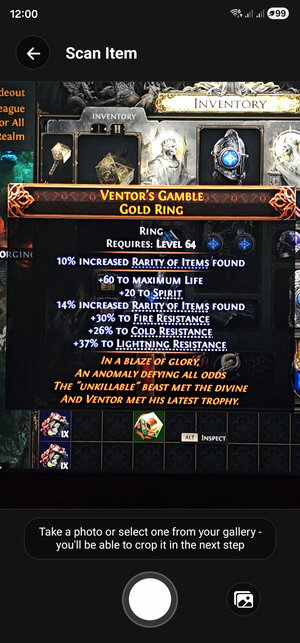
Scan items with camera
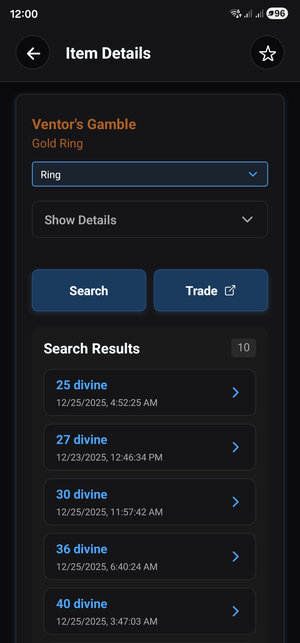
Get instant trade prices
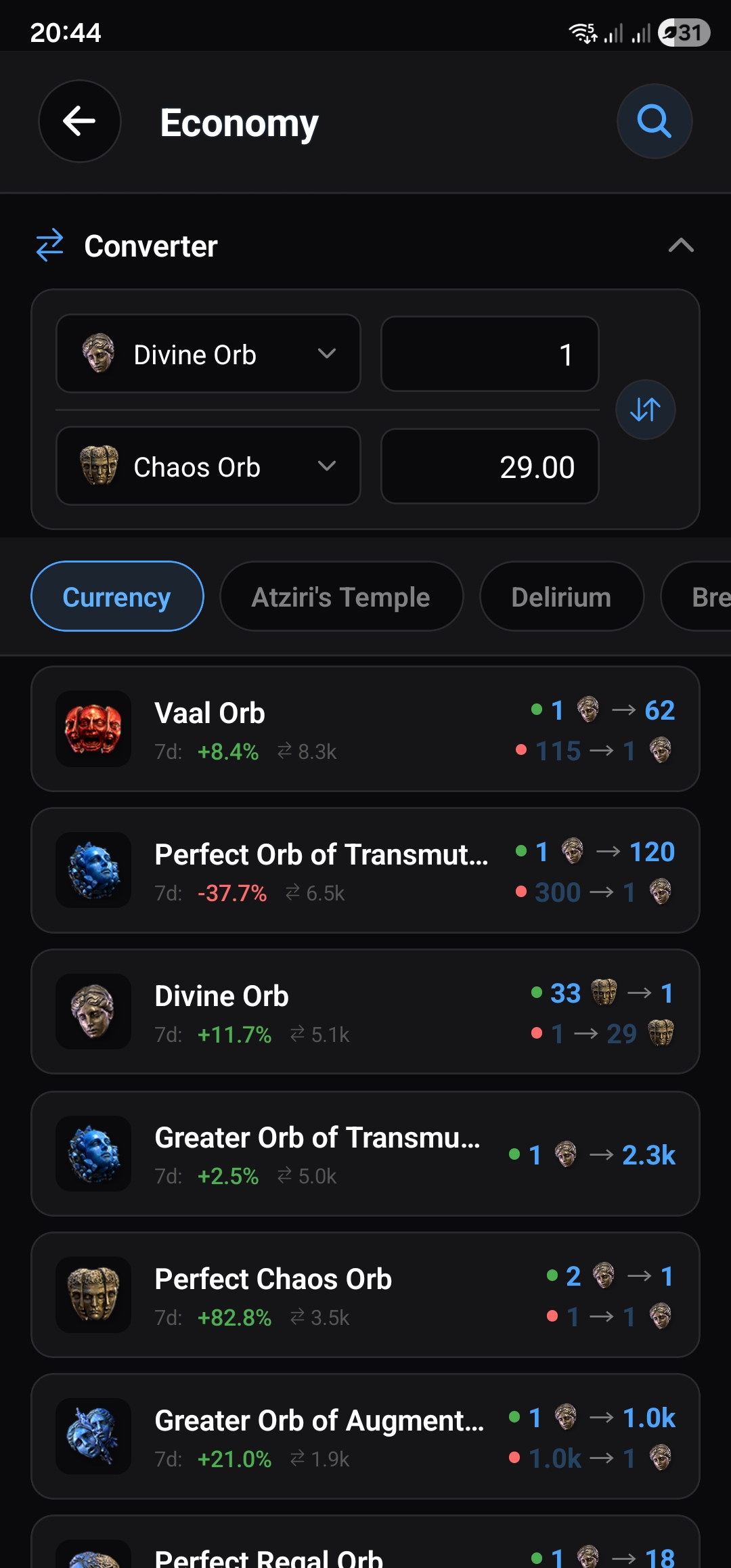
Track live currency prices
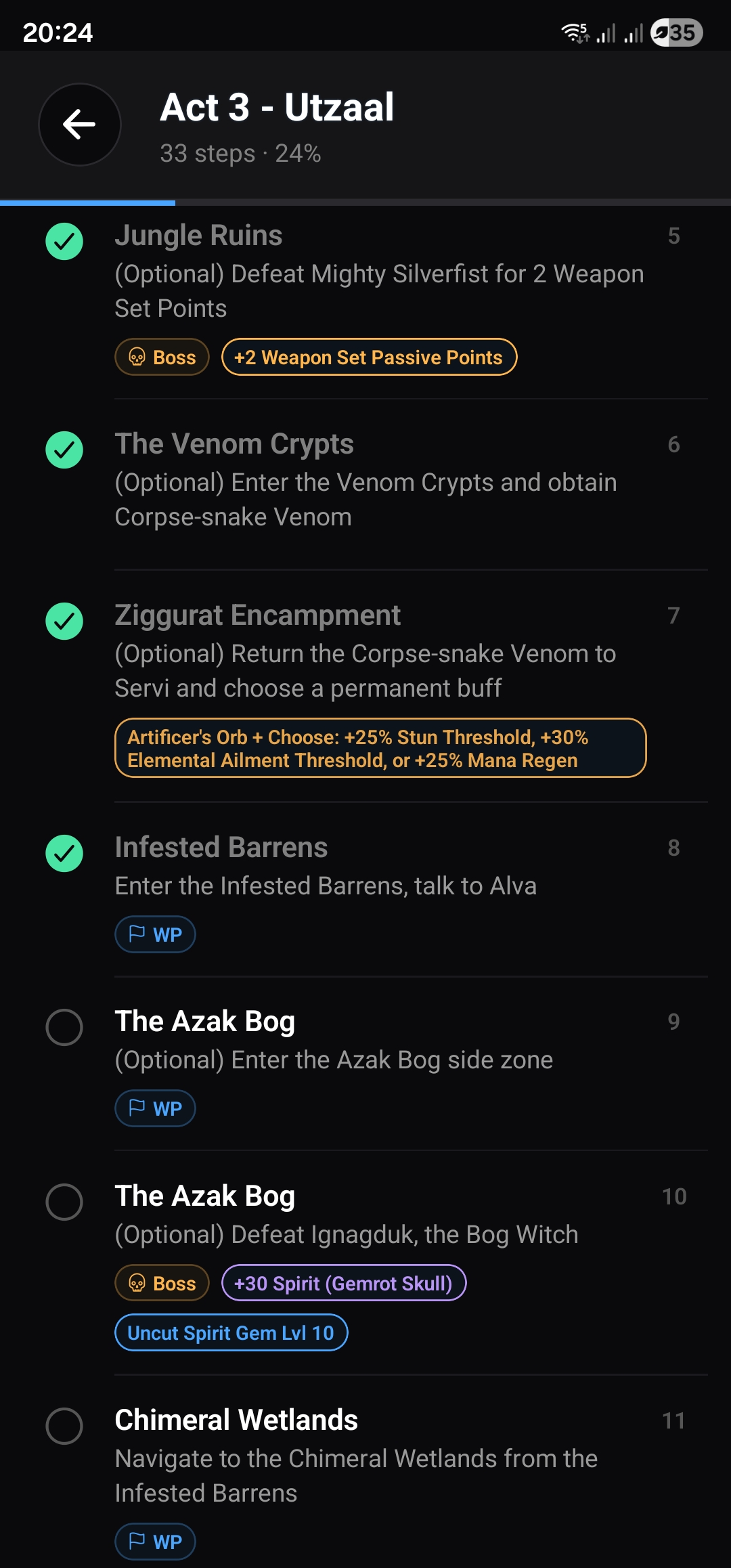
Follow the campaign guide
Item Scanner
Point your camera at any item and get trade prices instantly. OCR-powered recognition reads stats in milliseconds.
Live Economy
Real-time currency prices with trend charts and a built-in converter. Track weekly changes at a glance.
Campaign Guide
Step-by-step walkthrough for all acts. Track your progress, get boss tips, and never miss a quest reward.
Danger Checker
Scan waystones with your camera and instantly see which mods are dangerous for your build.
PoE 1 & PoE 2
Full support for both Path of Exile 1 and Path of Exile 2. All features work with both games.
In-App Prices
See trade results without leaving the app. Compare listings and open the trade site with filters pre-filled.
8 Languages
Works with English, Portuguese, German, French, Spanish, Korean, Russian, and Japanese clients.
Private & Secure
On-device processing. No account needed. Your data stays on your phone.
Frequently Asked Questions
How do I price check items in Path of Exile 2 on console?
Open Exile Companion on your phone, point your camera at the item on your TV or monitor, and tap scan. The app reads the item stats and searches the official trade site with pre-filled filters. No manual typing needed — works with Xbox, PlayStation, and PC.
What item types can the scanner recognize?
The scanner works with weapons, armour, jewellery, jewels, flasks, skill gems, waystones, logbooks, and more. It reads stats and modifiers to build accurate trade queries, and identifies unique items by name.
Is the app free?
Yes. Scanning, price checking, and all core features are completely free. An optional subscription removes ads.
How is this different from PC price check tools?
Desktop tools like Exiled Exchange or PoE Overlay read your clipboard and only work on PC. Exile Companion uses your phone camera, so it works alongside any platform — including consoles where no overlay tools exist.
What if the scan gets a stat wrong?
You can tap any stat to edit it before searching. The app also lets you add, remove, or adjust filters manually so you always get accurate trade results, even with tricky items.
What does the Economy feature show?
Live currency exchange rates with sparkline trend charts, weekly price changes, and a built-in converter. You can also tap any currency to see all its trading pairs with buy and sell rates.
What is the Campaign Guide?
A step-by-step walkthrough for all campaign acts. Each step shows where to go, highlights boss fights with tips, and marks important quest rewards like passive points and skill gems. Your progress is saved so you can pick up where you left off.